Market Research Made Easy: Find Your Competitors, Partners & Best Keywords in Minutes
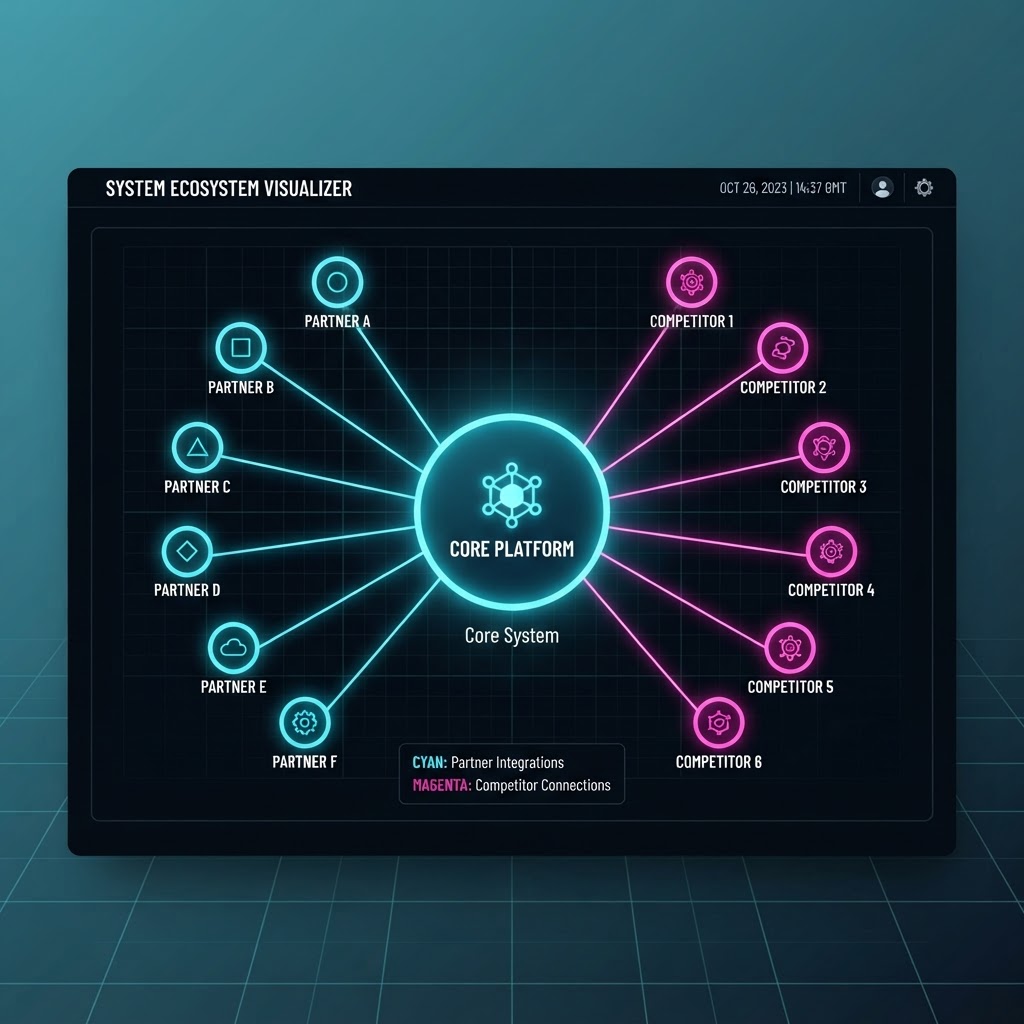
Most market research tools ask you to describe your business, then guess. ReachScraper's Market Research tool does it the other way around: it finds your actual website, reads what you really offer, and only then builds a map of who you should be watching — and who you should be calling.
Step 1: Just type your business name
You don't need to fill out a long form or paste a link. Enter your business name (and an optional one-line hint about what you do), and the tool searches the web to find your official website automatically.
Step 2: You confirm it — no guesswork
Before anything else happens, ReachScraper shows you the website it found and asks you to confirm it's the right one. Not quite right? Try again or paste the correct URL manually. This keeps every insight that follows grounded in your actual site, not an AI's assumption.
Step 3: AI studies your real features and services
Once confirmed, the AI actually researches your website — the features, services, and audience you serve — instead of relying on a generic description. That understanding is what makes the next step accurate instead of generic.
Step 4: A live bubble map of competitors and partners
Based on what it learned about your business, ReachScraper generates a Tron-style interactive bubble chart with 20-25 real, named entities around your business — split into:
- Direct competitors — real companies offering similar features/services to the same customers
- Potential partners — complementary businesses, tools, and audience segments worth collaborating with
Every bubble is sized by opportunity or threat level, so you can see at a glance where to focus.
Step 5: Click a bubble, get scraping keywords instantly
Click any bubble and ReachScraper hands you 2-4 specific keywords for that niche — ready to copy, or send with one click straight into the Business Search tool to start scraping that exact audience.
Step 6: See who dominates each category
A market dominance pie chart breaks down your competitive landscape by feature/service category, so you know exactly which parts of the market are contested — and which are wide open for you.
Step 7: Export a client-ready PDF report
One click generates a fully branded PDF of the entire report — bubble map, dominance chart, and full lists of partners and competitors — perfect for sharing with your team or clients.
Why this matters
Instead of manually googling competitors one by one, you get a structured, research-backed map in minutes — plus the exact keywords to turn that research into a fresh list of leads.
See Where to Focus — Before Your Competitors Do
Run your first market audit free and see the gaps, timing, and margin dashboards the moment you open the app.