How to Find American (USA) Companies and Customers
Whether you're looking for US suppliers, partners, or potential customers, the fastest way to build a targeted list is to search by business niche and location instead of manually browsing directories one by one.
Below is a step-by-step tutorial, with screenshots, showing how to find American companies and customers using ReachScraper's built-in lead scraper.
Step-by-Step Tutorial
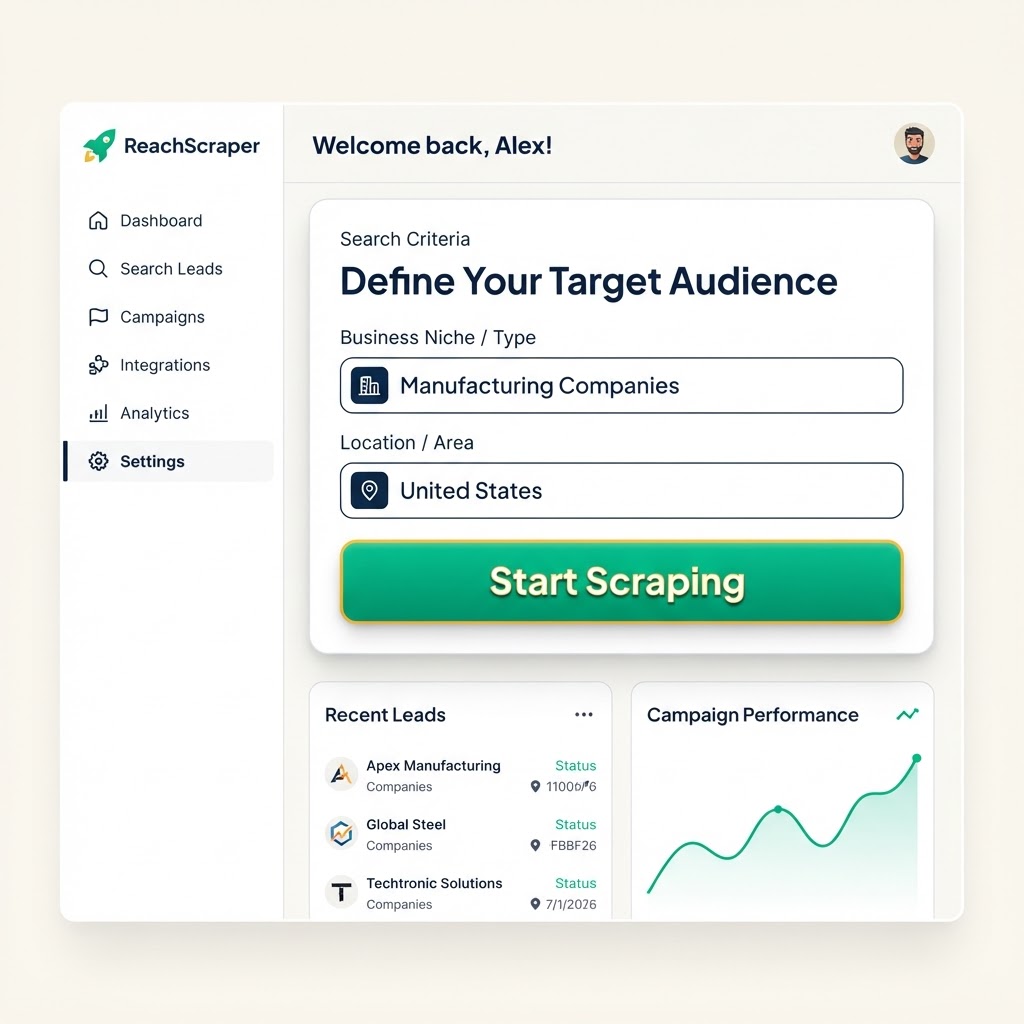
1. Enter your niche and "United States" (or a specific US city/state) as the location
Go to the Scraper page and type the type of business you're looking for (e.g. "Manufacturing companies", "Marketing agencies", "Law firms") into the Business Niche field, then type "United States", a state, or a specific US city into the Location field. Pick how many contacts you want and hit Start Scraping.
2. Review the American companies ReachScraper finds
Within moments you'll get a table of real US businesses matching your niche and location, each with a business name, email, phone, address and website already filled in — no manual searching required.
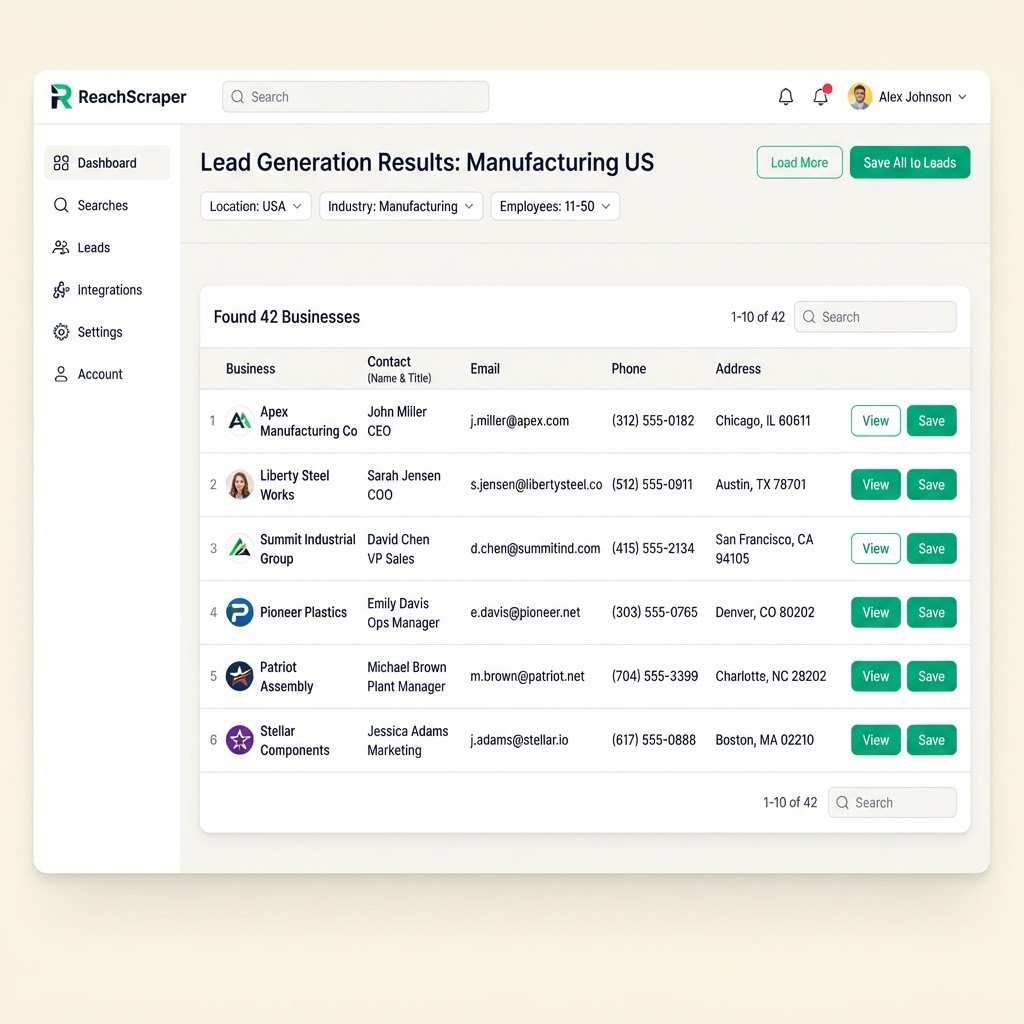
3. Save them as a lead list and start outreach
Click "Save All to Leads" to store the results as a folder in your Leads dashboard. From there you can research decision makers, tag categories, and launch email campaigns straight to your new US customer list.
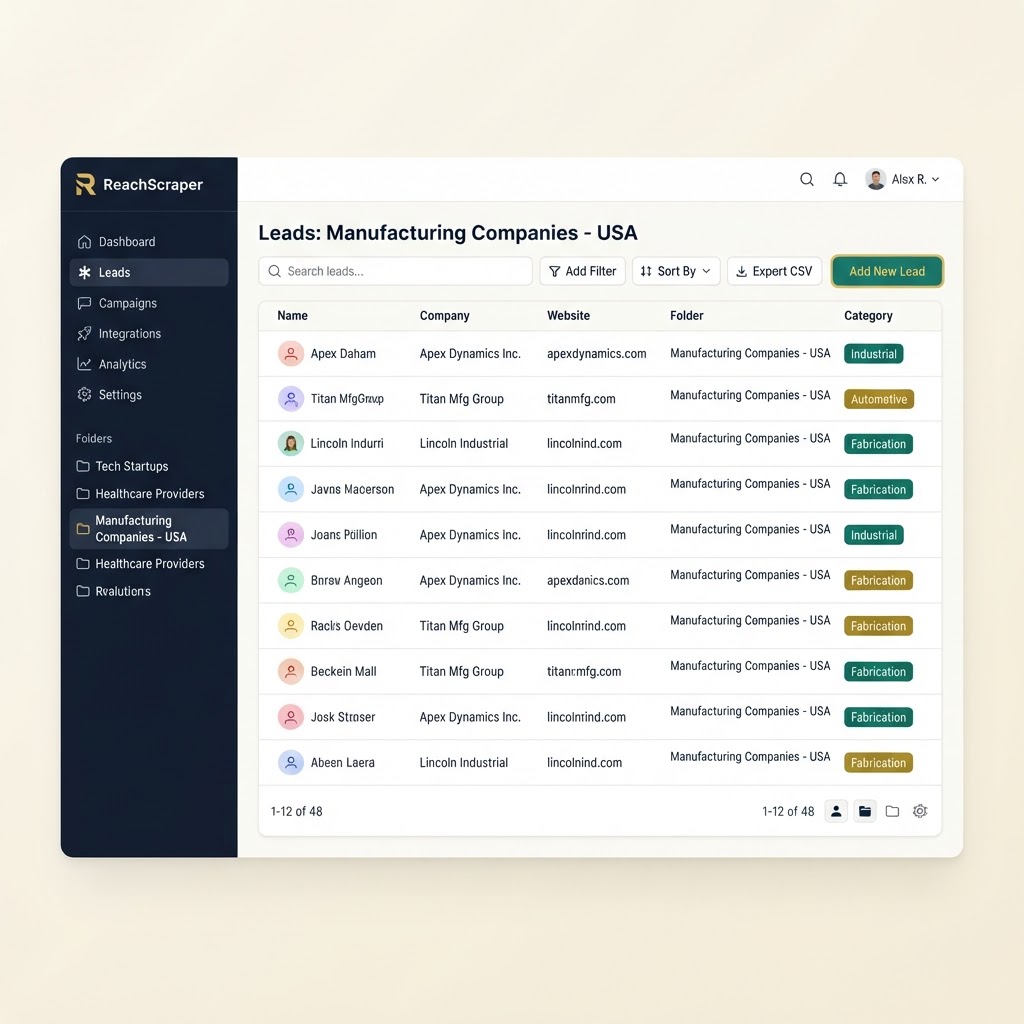
That's it — from a single niche + location search, you end up with a saved, organized list of real American companies and customers, ready for outreach, without any manual research.
Find US Companies in Minutes
Search by niche and location and let ReachScraper build your American lead list for you.
Related: How to Scrape Leads from Google Maps · Best Lead Scraper Tools 2026